
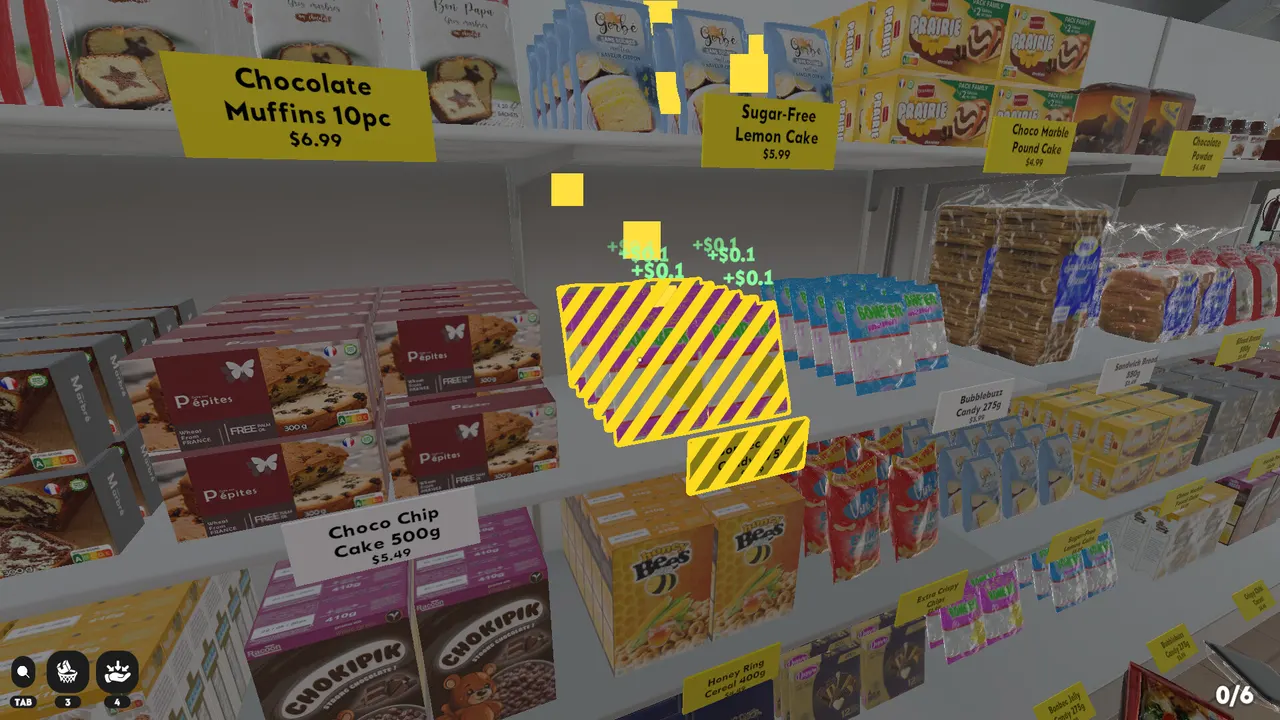
Supermarket Chaos has 16 sections, but a useful map should not invent all 16 names without a verified source. This section map starts with official named examples from the Steam page and visible anchors from Steam screenshots. It is designed as a routing aid: get the product into the right family first, then use the price label for exact placement.
Officially named examples
The Steam page names fruit, tea, frozen foods, books, wine, and ramen as examples of the 16 sections. Those categories deserve priority in your mental map because they come from first-party copy. If an item fits one of these families, test that section before guessing across unrelated aisles. Treat official examples as anchor points, not as the whole map. An anchor is useful because it gives you a known destination while you interpret nearby shelves. Once a few anchors are stable, unknown products become easier because you can rule out families instead of searching every row.
Visible screenshot anchors
Steam screenshots add practical visual anchors. Produce has a green overhead sign. Cleaning shelves show bleach, soap, toilet cleaner, laundry pads, and similar labels. Bakery and sweets shelves show muffins, cakes, candy, cereal, and dessert packaging. These are visible route clues, not a claim that every shelf in those areas has been cataloged. Screenshot evidence is strongest when it shows a sign, repeated label family, or shelf context. It is weaker when it only shows a colorful product box without a readable destination.
Suggested route order
Start with large, visually obvious families: Produce, Cleaning Goods, Bakery and Sweets, Frozen Foods, and Books. Then handle smaller packaged groups such as Tea and Ramen. Wine and other bottle categories should be handled once you can compare labels cleanly, because bottle silhouettes can overlap with beer, soda, sauces, and cleaning liquids. This order is not a strict route for every save. It is a way to reduce visual noise quickly. If one aisle is already almost solved, finish it before walking away, because a clean shelf gives better information than another half-sorted zone.
Wrong-section fixes
When a product refuses to fit, do not keep forcing nearby shelves. Ask three questions: is this the right broad family, is this the right shelf row, and is the price label an exact match? Most mistakes come from answering the first question too quickly. Step back, put the item near its likely family, and continue clearing the area until the label set is easier to read. If several products fail in the same aisle, the aisle is probably not the problem; your category assumption is. Move the unsolved items into a small review pile and come back after more shelves are filled.
Why section details are merged
The wiki no longer splits each known section into a separate third-level page. Those pages were easy to create but too thin to be useful on their own. A single Sections Hub is better for this game because the player needs comparison: cleaning bottles can resemble drinks, wine can resemble other bottle categories, and small ramen or tea packages can disappear among other boxed goods. Keeping the section notes together lets you compare cues, route timing, and common mistakes without opening several short pages.
Evidence grades
Use three evidence grades when reading the map. Strong evidence is official copy, a readable sign, or a clear shelf label. Medium evidence is repeated packaging near a likely shelf family. Weak evidence is color, art style, or a single screenshot object without context. Strong evidence can define an anchor. Medium evidence can guide a temporary pile. Weak evidence should only tell you what to check next. This grading keeps the map honest and stops the wiki from inventing section names just to look complete.
Floor sweep pattern
A useful sweep is not random walking. Start at one edge of a section, scan the floor near shelf bases, move obvious products into the closest family pile, then read the shelf labels before leaving. Work outward from clean shelves because solved shelves create better context. If you find a product from a distant family, carry it only when you already know its destination. Otherwise, put it in a review pile and keep the current sweep intact. The map works best when each pass makes one area more readable.
FAQ
Does this page list all 16 sections?
No. It lists first-party named examples and visible screenshot anchors. More section names should be added only when they can be confirmed from gameplay, official copy, or readable media.
Why not publish all 4,668 products?
A full product database would be useful only if it is complete and verified. A partial guessed database would make the wiki worse than a route guide.